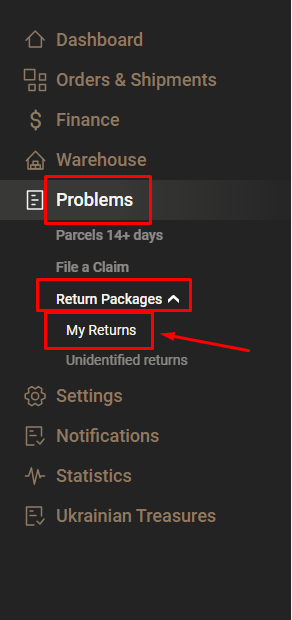
Navigate to the dashboard for quick access to your returns (which have been added by the administrator to your account) by clicking the 'My returns' button
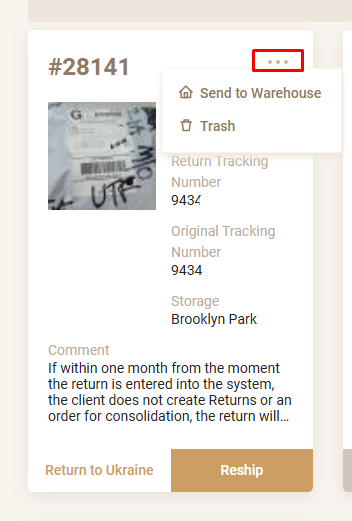
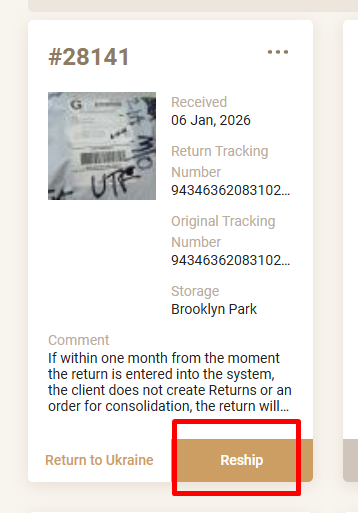
This tab contains your parcels that have returned to the warehouse, you can see the return track, the original track (if identified).

Please note that if within one month from the moment the return was entered into the system, the client has not created Returns or an order for consolidation, the return will be disposed of.

The following options are available:
- return to Ukraine;
- re-sending;
- storage in the warehouse;
- disposal.
If you need to return the goods to Ukraine - click the "Return to Ukraine" button, note that the cargo will be returned by the carrier Meest, shipping to Ukraine occurs once a month, the cost of delivery from the USA to Ukraine will be $ 6.5 per kg, delivery times take an average of 3 months, after receiving the cargo in Ukraine we will contact you and send the goods by the carrier NP.

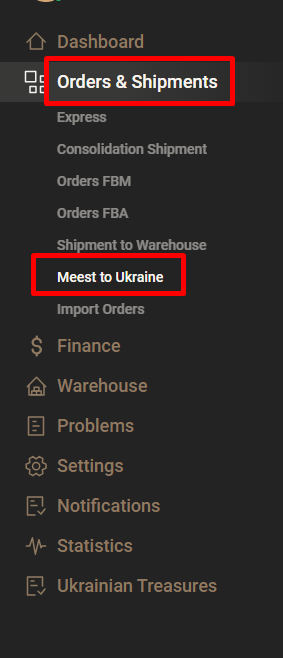
To do this, click the "Return to Ukraine" button, after the formation of a consolidated shipment Meest in the warehouse in the USA, you will receive an email about the shipment to Ukraine and the corresponding amount for the shipment will be debited from your balance in the SkladUSA system, you can also find this information in the "Orders and shipments" > "Meest to Ukraine" section
If you need to resend this return, click the "reship" button

The system will take you to the order creation page, enter your recipient's address details, specify the product description, quantity and price.
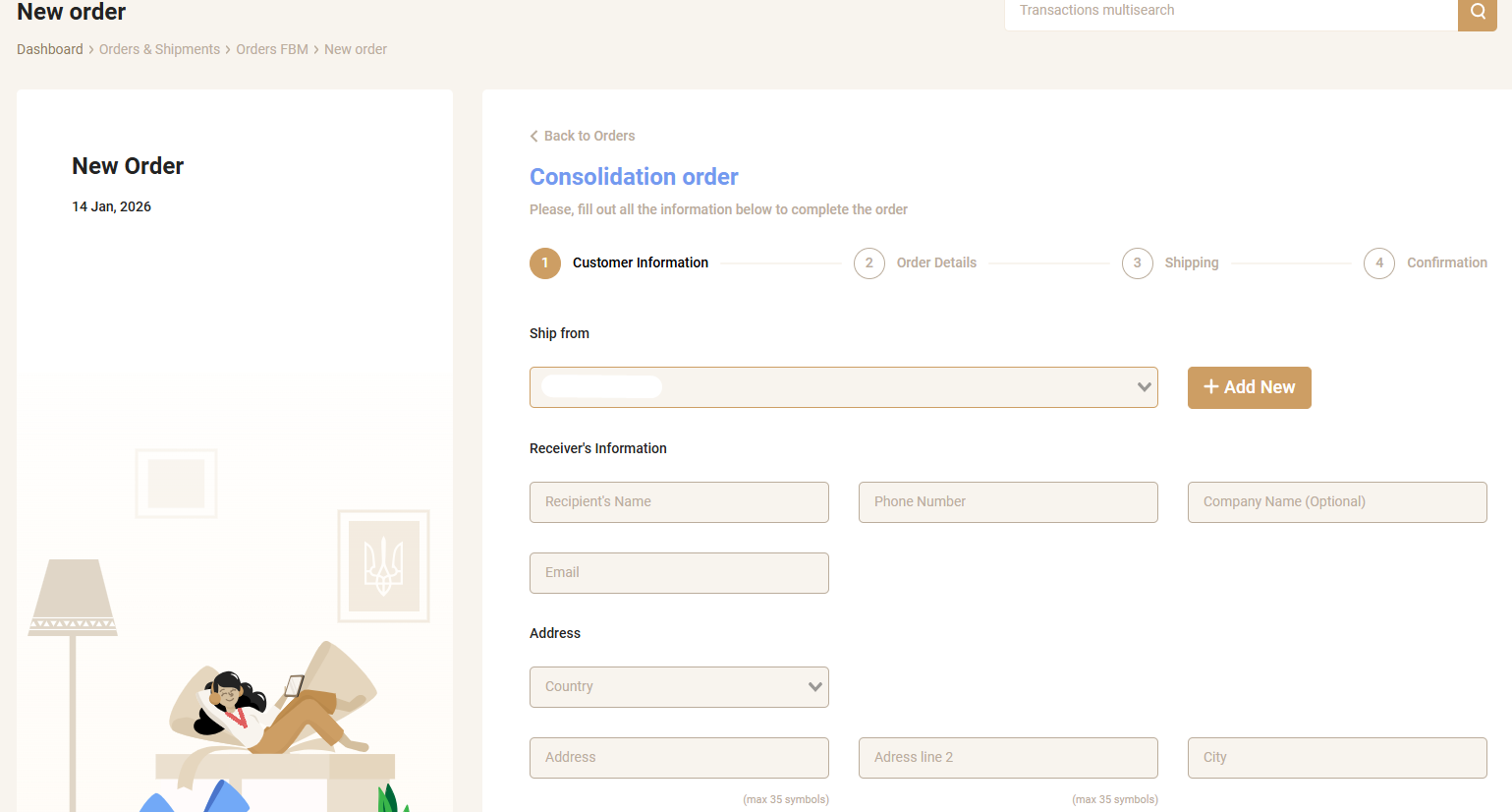
- specify weight and dimensions (you can specify approximate data, the warehouse will adjust the data after measurement);
- select a carrier (if necessary, you can choose additional insurance from the carrier);
- if your goods need additional packaging - select one of the available packaging options and click the "Create" button

Orders are shipped the same day if placed before 12 noon US time.
Orders placed after that time are shipped the next business day.
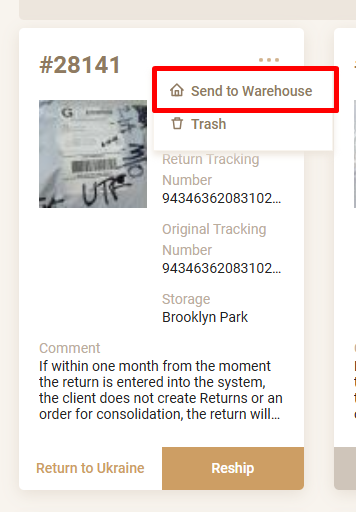
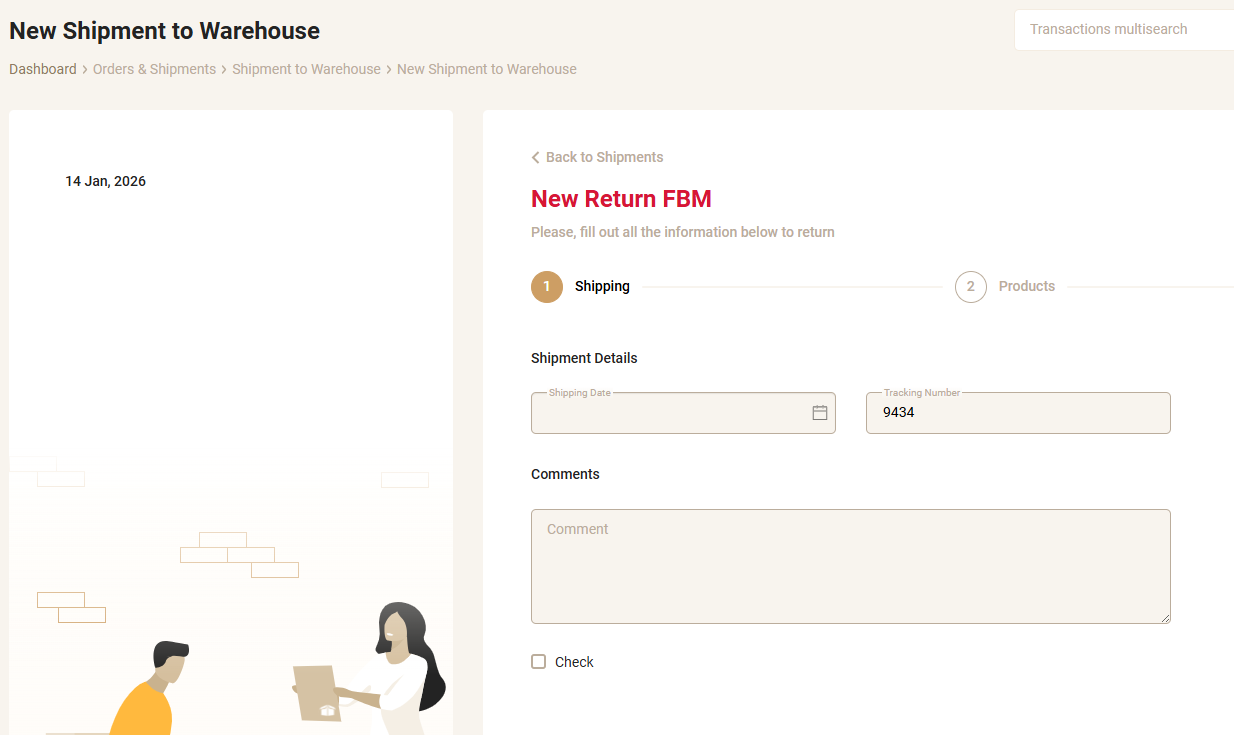
If you need to leave this product in storage in the warehouse for further shipment to buyers - click the "Send to warehouse" button

- specify the date;
- if you need to check the product, check the "Check product" box and click the "Next" button
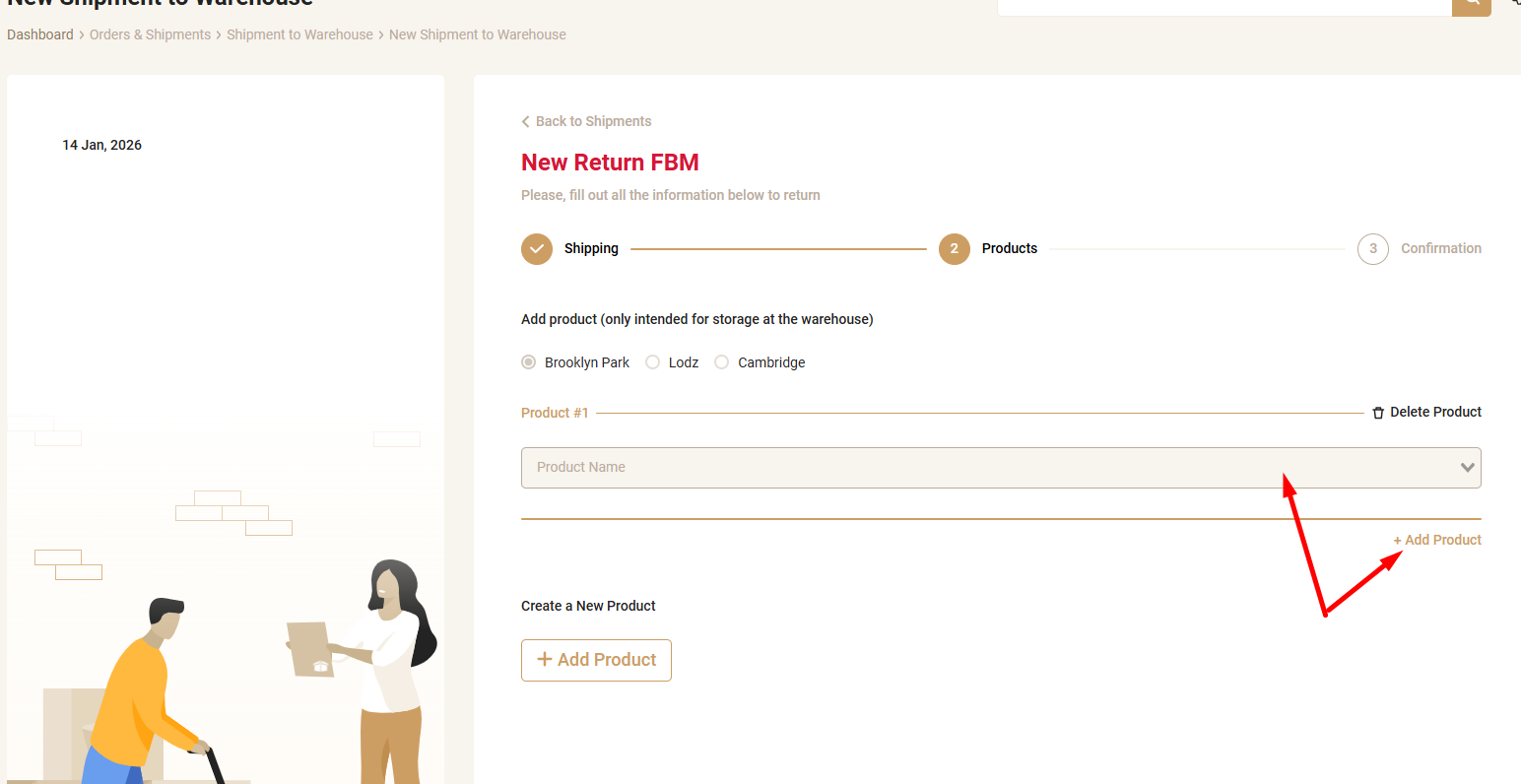
If you have a created product, select from the list the UPC under which you want to store the product in the warehouse,

if you do not have any created products - click the "Add product" button (under the "Create new product" inscription) and click the "Next" button, then "Create".
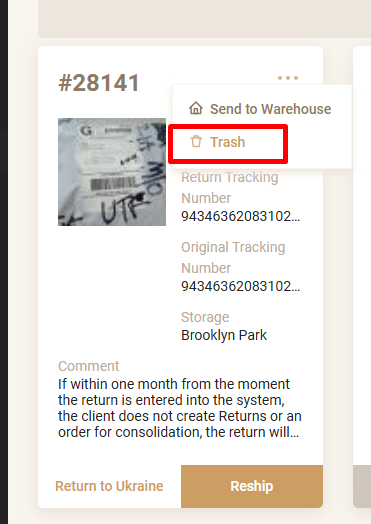
If you need to dispose of the product, click the "Trash" button.